macOS app · disks · v1.0.0
Every disk,
on the Mac too.
Montadischi lets the Mac see the disks it only half reads or doesn't read at all: Windows NTFS and Linux ext2, ext3, ext4, read and write, right in the Finder. It lives in the menu bar: plug in the card or disk, click "Mount" and open it in the Finder.
it lives in the menu bar, next to the clock.
What it looks like
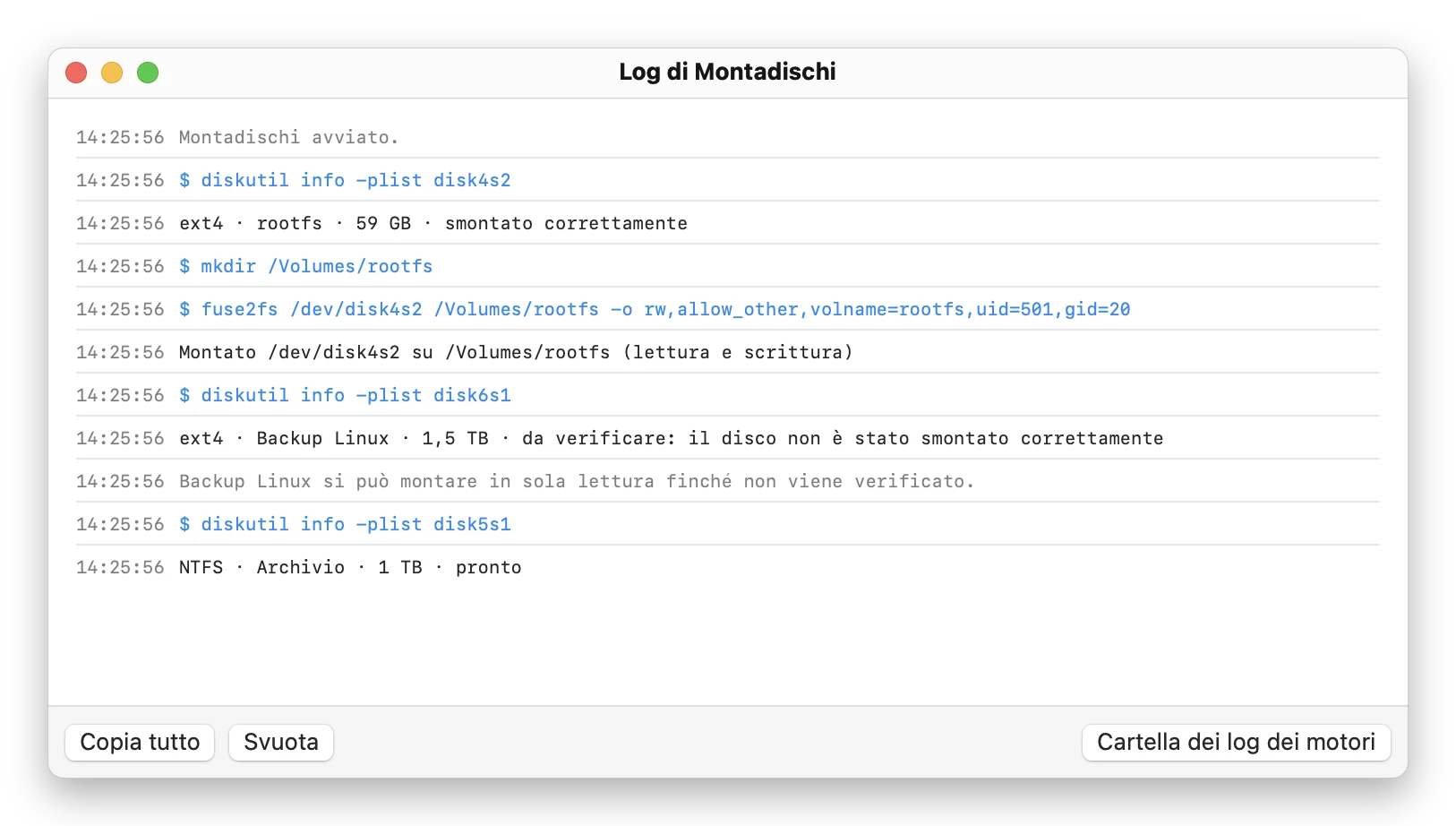
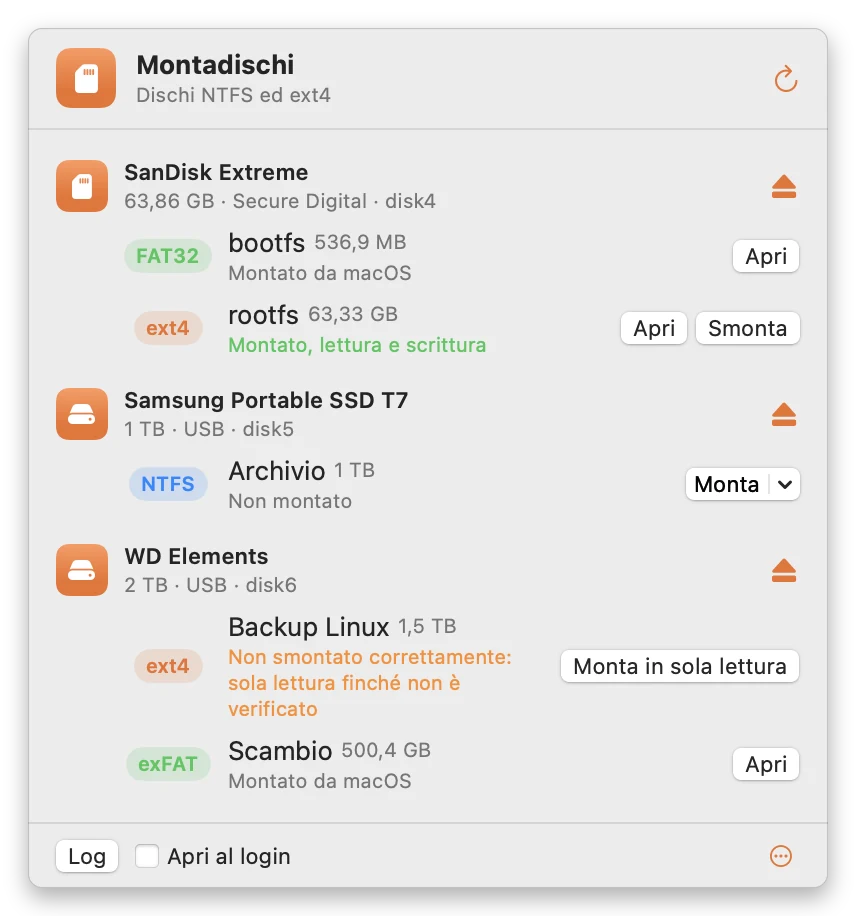
Why I wrote it
Retro console SD cards, like Batocera's, have an ext4 partition the Mac can't see, and external disks coming from Windows are NTFS, which the Mac reads but won't write. Existing solutions ask you to install kernel extensions or lower system security. Montadischi doesn't.
How it works
It isn't a driver written from scratch. Montadischi drives open source engines proven for years: ntfs-3g for NTFS and e2fsprogs' fuse2fs for ext2/3/4, on top of FUSE-T, which uses no kernel extensions and doesn't touch System Integrity Protection. FAT32 and exFAT use macOS's own tools.
Disks are recognised by reading the sectors directly, without trusting only what macOS says, and volumes stay clean: no stray ._ files, so Batocera and Windows find them as they left them.
The three things I'm proudest of
External disks only
Montadischi never touches the internal disk or the startup disk. An ext4 disk removed without unmounting only opens read-only, so as not to make things worse.
No kernel extensions
Thanks to FUSE-T there's no need to lower the Mac's security or reboot into recovery mode.
Errors are visible
What the engines underneath say is shown in full in a log panel, never hidden.
Specs and requirements
- version 1.0.0 · 3 October 2026
- file systems NTFS, ext2, ext3, ext4 read-write; FAT32 and exFAT
- features mount read-write or read-only, unmount, eject, open at login, command log
- coming next check and repair, formatting, SD backup and restore
- requires macOS 15 Sequoia or later, FUSE-T (free, included: the app offers it on first launch)
- language Italian and English, follows the Mac's language
- processor Apple Silicon and Intel
- price pay what you want
A few limits, said up front
- Before unplugging a disk click Unmount or the eject button and wait until it disappears from the menu: with ext4 the journal isn't used, and pulling it out mid-write can damage files.
- Check and repair aren't there yet: a damaged ext4 only opens read-only, and if it's badly damaged it won't open. Always keep a copy of important data.
- Disk operations require the administrator password.
- Finder tags aren't saved on NTFS and ext disks, to keep them clean.
How to install
Download the .dmg
Click "Download": leave an offer or skip it, and the Montadischi-1.0.0.dmg download starts.
Drag it into Applications
Open the .dmg file: the window contains Montadischi, a shortcut to Applications, a picture with the next step's instructions, the README and a folder with the engines' licences and sources. Drag the Montadischi icon onto Applications.
If macOS says it "can't be verified"
On the first double-click macOS warns it can't verify the app: click Done, then go to System Settings › Privacy & Security and at the bottom click Open Anyway. You only do it once. The step-by-step guide with screenshots is here.
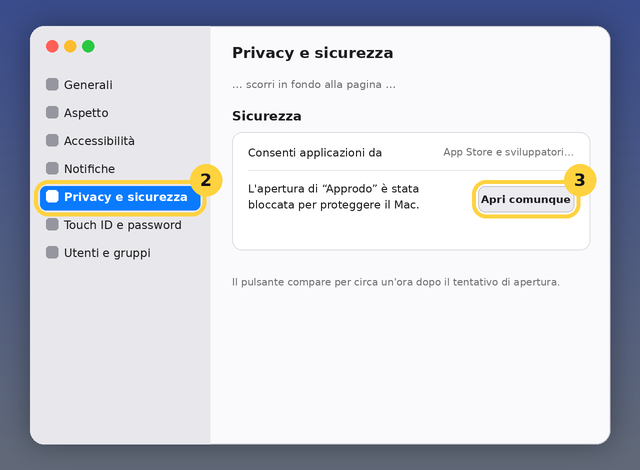
Install FUSE-T, just once
Montadischi appears in the menu bar, top right. If FUSE-T is missing the menu says so: click Install FUSE-T… and follow the installer, which is already inside the app. Mounting and unmounting ask for the administrator password; macOS remembers it for a few minutes.
Licence
Pay what you want: the download is free and, if you like, you leave what feels fair. No subscription and no registration. ntfs-3g and e2fsprogs are GPL free software: the installer also contains their sources, with the changes made for the app. FUSE-T is free for non-commercial use.
If something doesn't work, write to me.