FTP, SFTP, WebDAV and S3 client: connections always in sight, logins in the Keychain, passwords recoverable with Touch ID. Imports everything from Cyberduck.
The tools that come out of everyday work: things I needed, couldn't find built the way I wanted, and at some point was quicker to write myself. In order of last update: the most recent is at the top. Further down, the same programs split by platform.
FTP, SFTP, WebDAV and S3 client: connections always in sight, logins in the Keychain, passwords recoverable with Touch ID. Imports everything from Cyberduck.
NTFS and ext2/3/4 disks (Windows, Linux, Batocera) read-write in the Finder, from the menu bar. No kernel extensions.
Clipboard history in the menu bar: ⇧⌘V, search, paste. Favourites, notes and saving to Google Drive, iCloud or Dropbox. Imports from Copy 'Em.

Disk space, cache and temp-file cleanup, large and old files, complete app uninstalls, monitor and maintenance. Everything goes to the Trash.

Remote servers inside VS Code: SFTP, FTP and FTPS, a terminal on the same connection, search executed on the server. Passwords in the keychain.
the platform badges are also the download links.
 macOS
macOSNative apps in Swift and SwiftUI, for Apple Silicon Macs (and Intel where noted). Same family, same look, same shortcuts where possible.
 VS Code
Extensions for Visual Studio Code, in TypeScript. Pay what you want, commercial use included.
Approdo, ClipVault and Pulito cost €9.99, once. Montadischi and Remote SFTP are pay what you want: the download is free and, if you like, you leave what feels fair. Payment goes through PayPal, cards included, and afterwards your personal download link arrives by email. No subscription, no account to create.
The macOS apps come as a .dmg: open it and drag the app into Applications.
If something doesn't work, write to me.
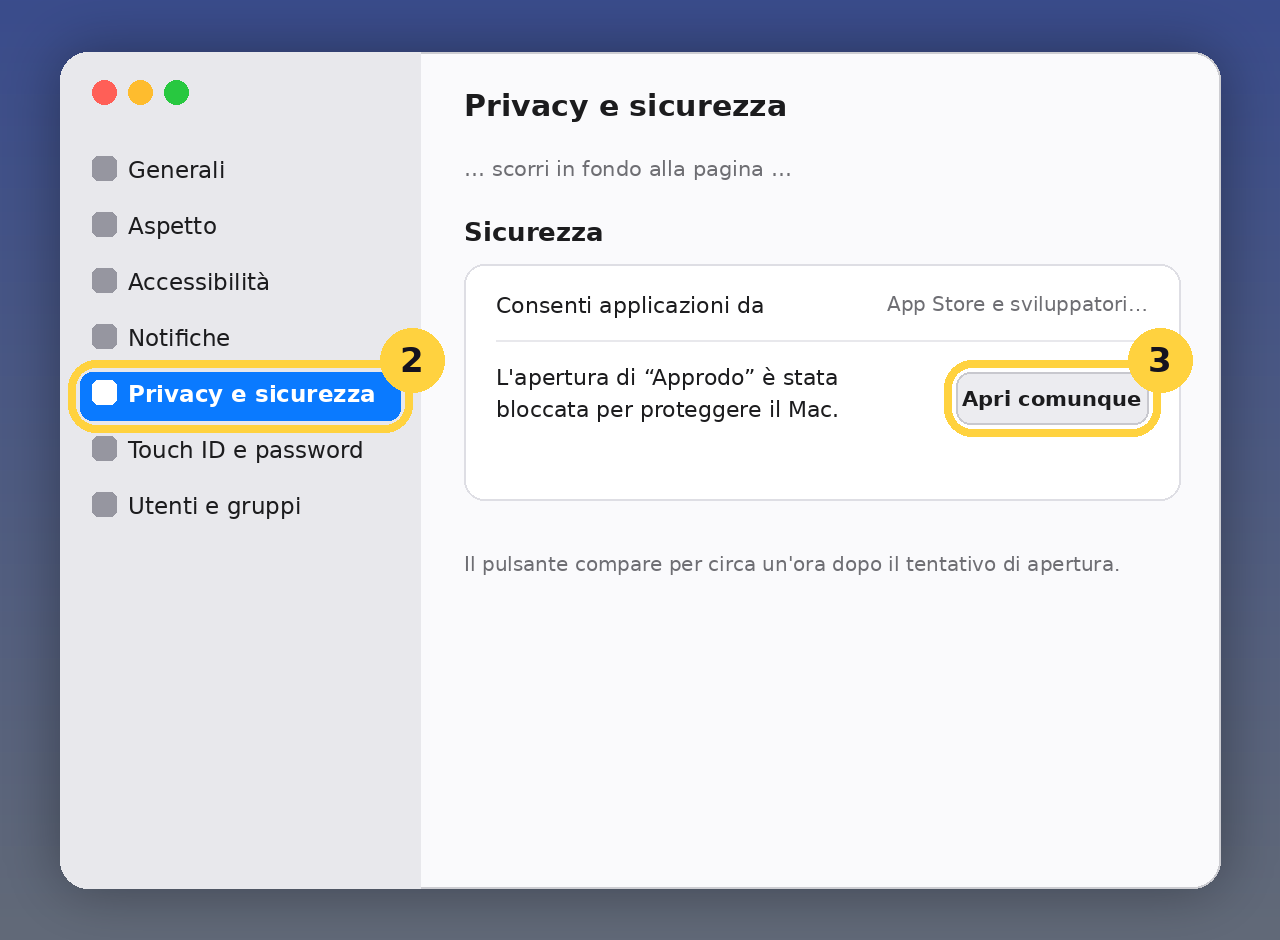
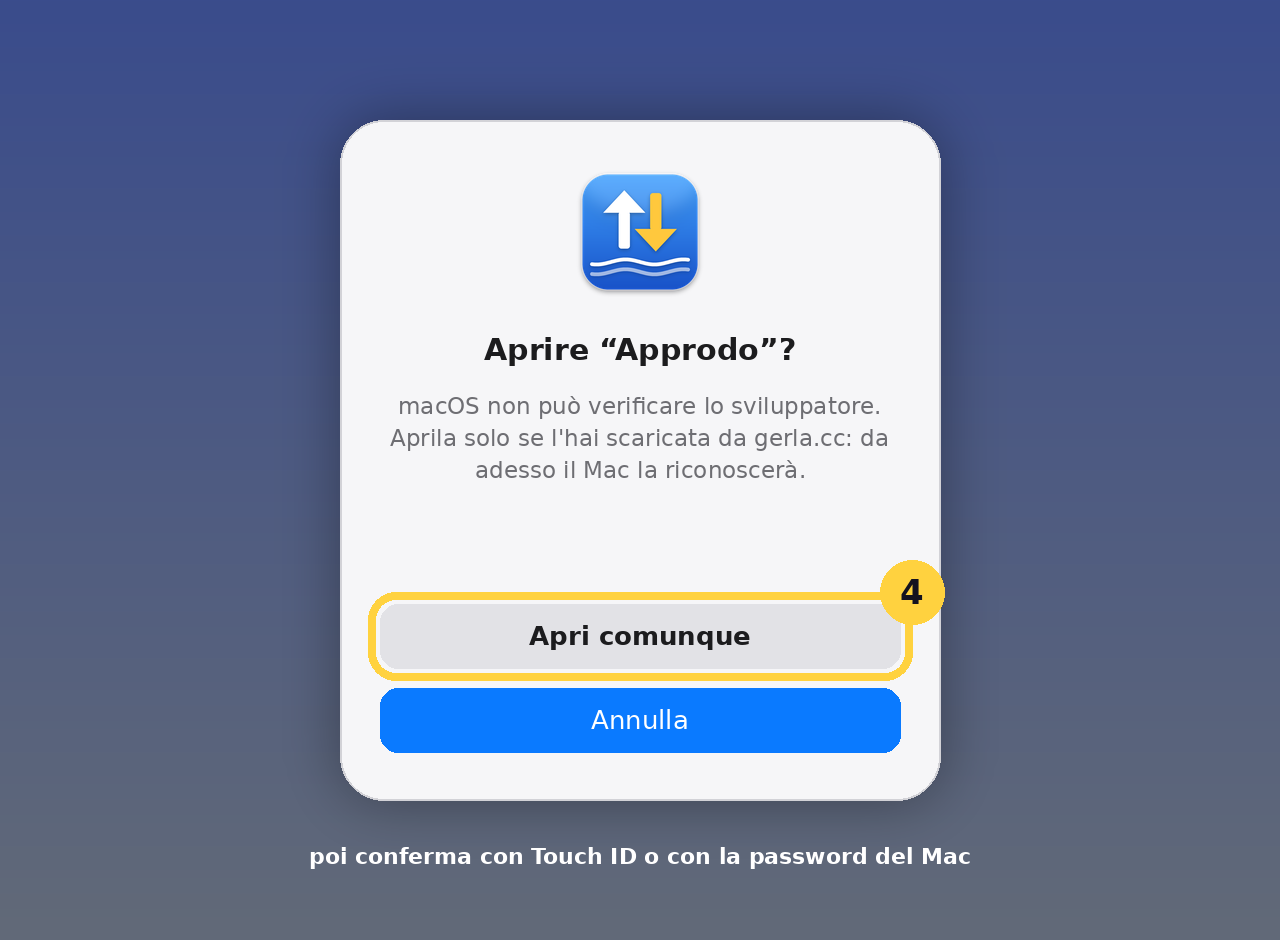
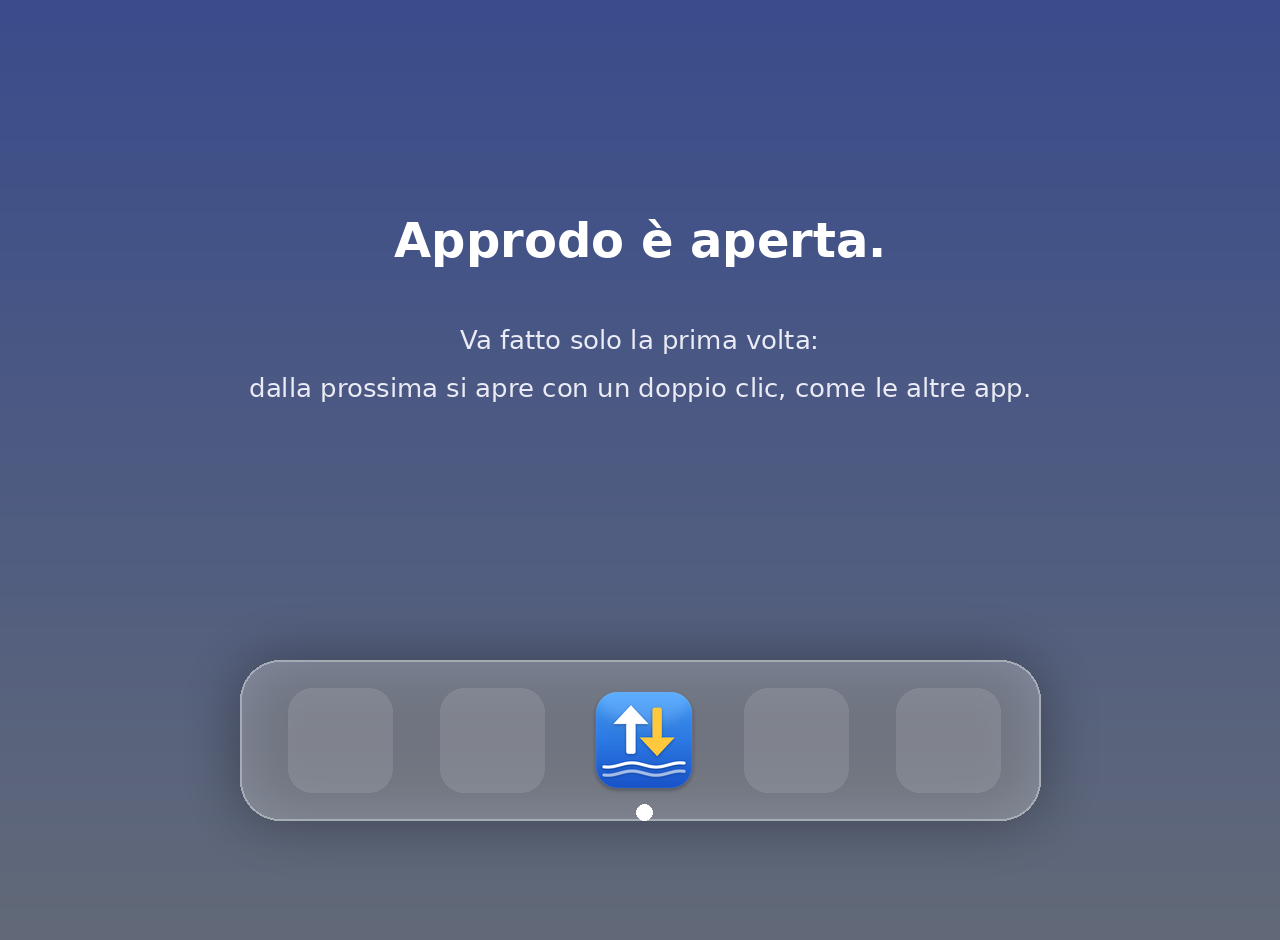
On first launch macOS shows a warning saying Apple could not verify the app. That's normal and doesn't mean anything is wrong: my apps don't go through Apple's paid developer registry, and the Mac reacts this way to anything that doesn't. You unlock it once, in four steps. The pictures show Approdo; for the others only the name changes. The same instructions are inside every installer too.
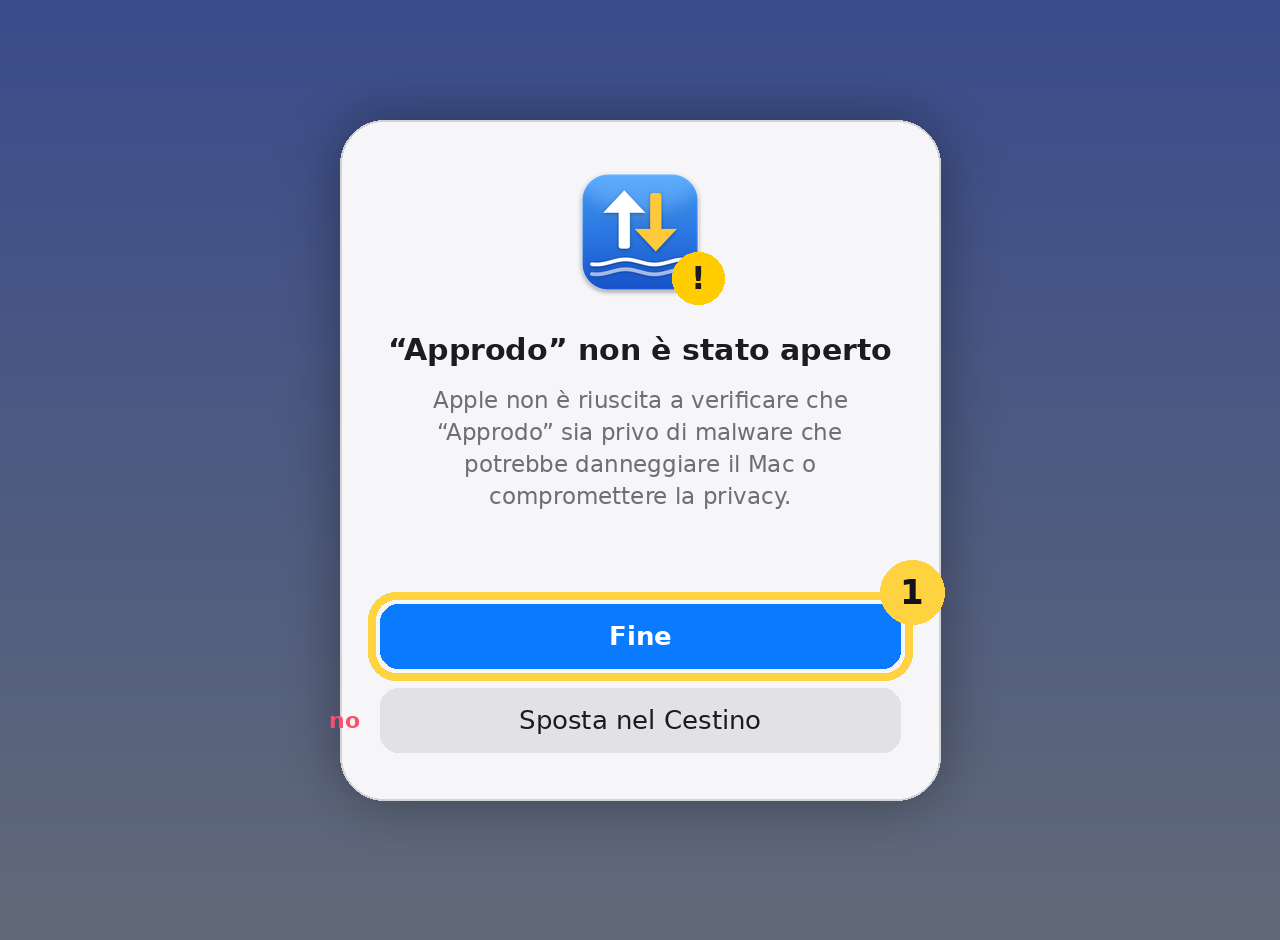
Comfortable with Terminal? There's also the short way, which lifts the block in one go (change the app name):
On macOS 14 and earlier a right-click on the app, then Open and Open again, is enough too. From 15 onwards Apple removed that shortcut and you need the trip through System Settings.
Remote SFTP and Montadischi are pay what you want. The other macOS apps cost little and only once, and whoever buys them gives me the time for the next version. None of them asks you to sign up. They are not open source: the package is downloaded from here, the sources stay mine. I ask just one thing: don't redistribute the files elsewhere, link the page instead.
If you try one and find something broken, write to me. Bug reports are the reason the next version is better.